
Household
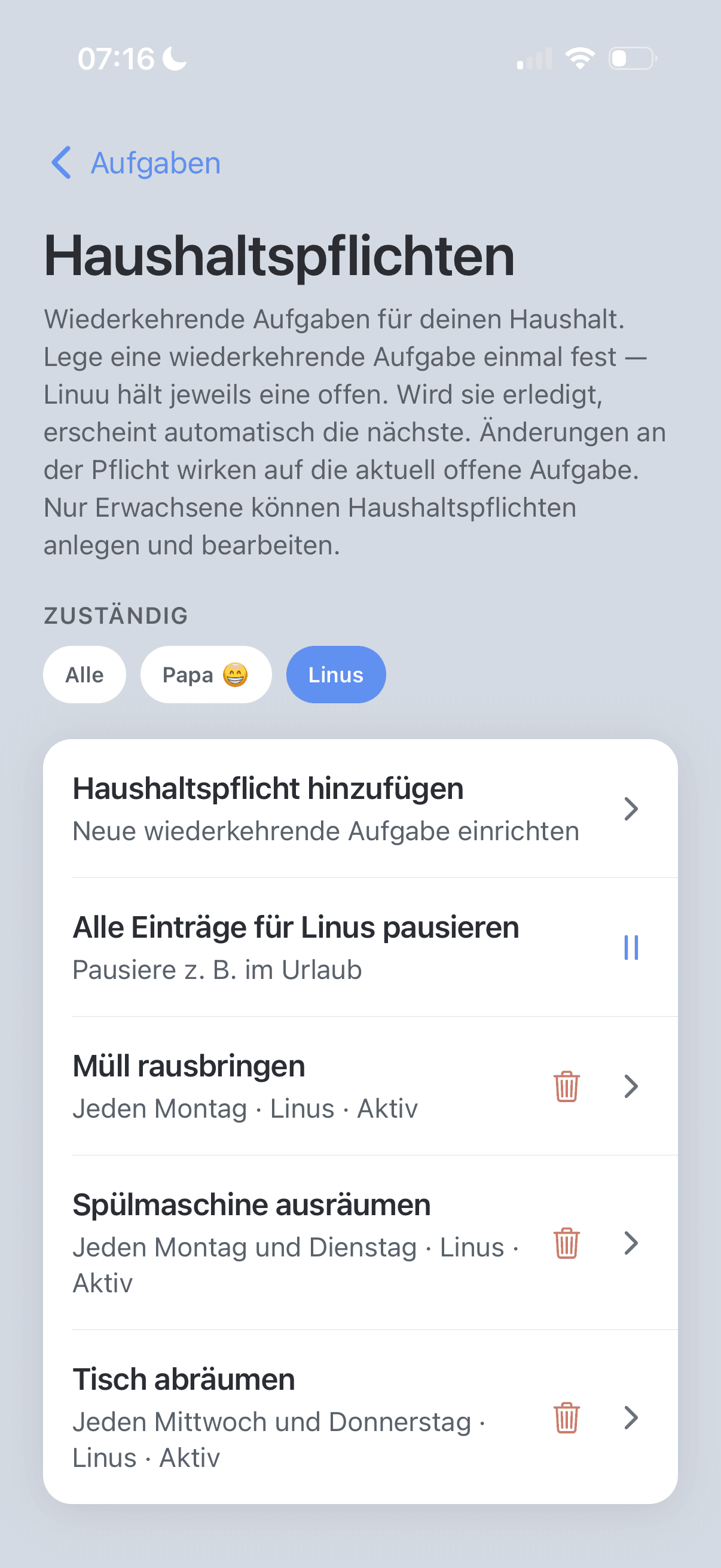
Dishwasher — whose turn?
Load, unload, done. Clear rotation instead of negotiating every evening.
For families who love order
Family app for documents, tasks, schedules, and household chores — with reminders and AI deadlines from paperwork. For iPhone.
Why Linuu
Less mental clutter around kids, schedules, and paperwork. More calm because everyone stays aligned and nothing slips through.
Organization happens on the side — in your head, on notes, in chats nobody finds again.
Dishwasher — whose turn?
Load, unload, done. Clear rotation instead of negotiating every evening.
Tennis, piano, concert
The whole family sees what the kids have when — not only whoever entered it in a calendar.
Deadlines in paperwork
Notice periods, passport expiry, official deadlines — spotted before it's urgent.
The solution
Linuu brings chores, schedules, and documents together. Many organizational steps run automatically — you don't have to start from scratch every day.
Use it together. Get relief automatically.
Less stress
Headspace for what really matters.
Nothing forgotten
Tasks and dates with reminders.
Less bureaucracy
Documents sorted, deadlines visible.
No letter anxiety
Deadlines from documents, not panic.
More control
You decide — not the chaos.
That's what Linuu sells: the feeling that your family life is back under control.
But with what you improvise today:
Features
From a shared overview to calendar sync: Linuu covers organization, communication, and daily life.
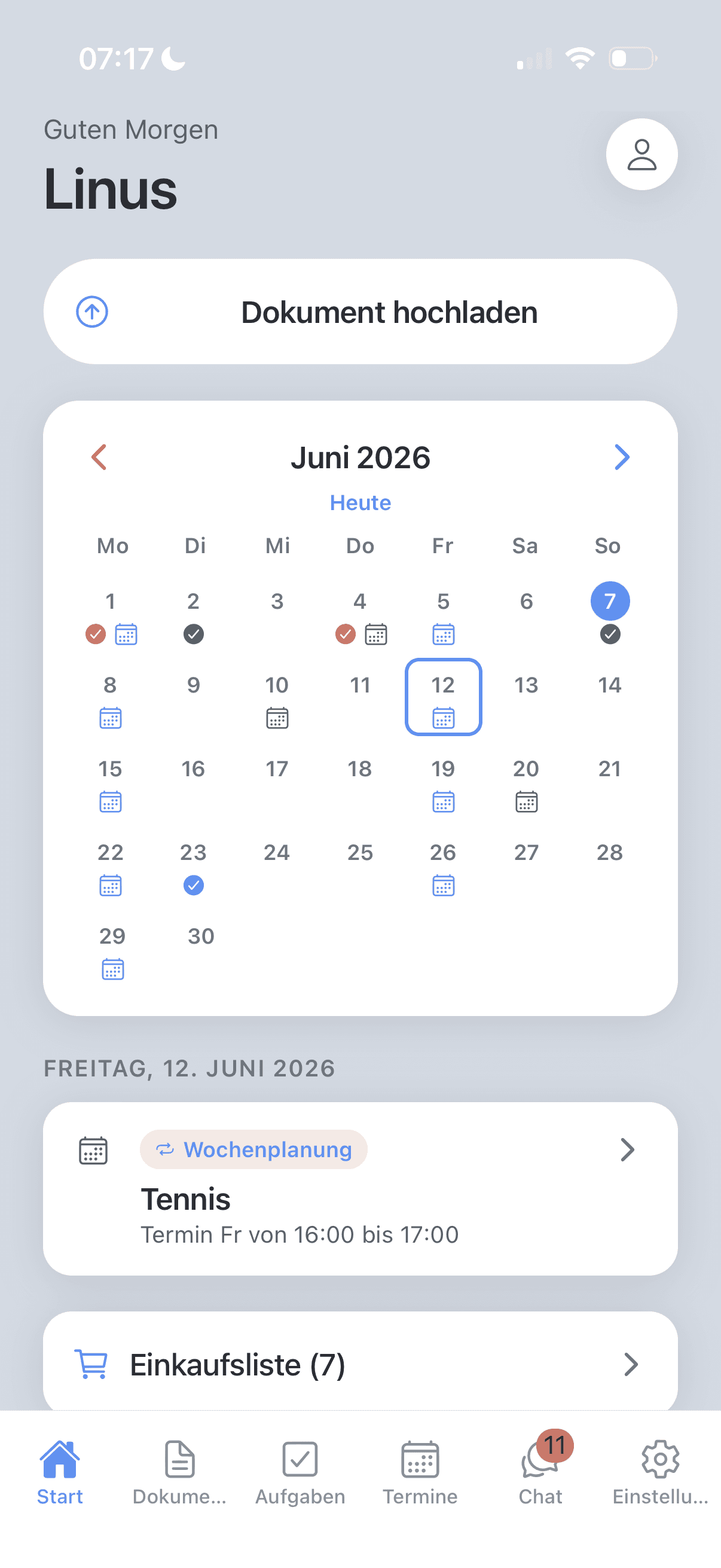
Shared overview: what's due today, who's on duty, what's expiring soon — at a glance for everyone.
Manage files, analyze with AI, and turn detected deadlines into tasks or calendar entries automatically.
Assign recurring chores and to-dos — clear who does what and when.
Make contribution visible: points and rewards motivate kids for regular tasks.
Week at a glance — school, sports, appointments, and family activities in one place.
Quick coordination without another WhatsApp group — messages in your shared family space.
Plan and check off items — on your own or together as a family. Upload recipes and add ingredients with AI (counts toward your analysis quota).
Push reminders for tasks, events, and deadlines — so nothing gets missed.
Sync events with your device's calendar app — family planning where you already plan.
Free & Family
You can try Linuu on your own. Full potential — shared overview, assignments, chat, and real collaboration — unlocks when you use Linuu as a family.
Many features are built for the shared household: who's on duty, what's due, who completed what. That requires a family space with multiple members — part of Linuu Family.
Free
Try it out
Free
Without Family you mainly use Linuu alone — shopping list and limited AI analyses are available, but no shared family space and no invitations.
Family
For your household
Price in the App Store when subscribing
Unlock Family in the app — you'll see the subscription and price in the App Store before you purchase.
What changes
| Free | Family | |
|---|---|---|
| Collaborate as a family | — | ✓ |
| Use by the whole familyup to 10 people | — | ✓ |
| AI analysis (documents & recipes)up to 10 per week | 10 total | ✓ |
| Store documentsup to 25 per week | 25 total | ✓ |
Subscriptions are handled through the App Store and can be managed there. You'll see prices and terms in the app before purchase.
FAQ
Short, straight answers — about the app, Family, pricing, and privacy.
Linuu is a family app for documents, tasks, schedules, and household chores. Everything lives in a shared household space — so you organize less in your head and in scattered chats.
Families and households who want schedules, paperwork, and tasks in one place — including shared flats (WGs) where you split cleaning rotas, shopping, and appointments, plus recurring chores where kids can take part too. Also for separated or divorced parents coordinating shared children: one place for schedules, tasks, and agreements — without another WhatsApp group.
Linuu is a mobile app for iPhone (iOS) and is available on the App Store — download it from the top of this page or search for “Linuu” in the App Store.
Free lets you try Linuu — including a shopping list for yourself and limited AI analyses (documents and recipes, 10 total). Linuu Family unlocks the shared family space: invitations, shared overview, chat, shared shopping list, and full collaboration — as described in the Pricing section.
Basic use is free. Linuu Family is a subscription — you'll see the exact price in the App Store before you purchase. You manage subscriptions in your store account settings.
In the app you send invitations to other users. They open the link from the email briefly in the browser, then continue in Linuu to accept the invite.
You upload documents or recipes; Linuu suggests detected deadlines or ingredients. You review everything before anything is added — nothing happens automatically without you. On Free, AI analyses are limited overall (10); with Family, up to 10 per week across the household.
Linuu stores what you use in the app — we don't sell your data. For processing, export, and account deletion, see the privacy policy on this site and under Settings in the app.
Linuu is live on the App Store — download the app and get started with your family.